![Logo_QMENTA_White_500x110.png]](https://support.qmenta.com/hs-fs/hubfs/Logo_QMENTA_White_500x110.png?height=40&name=Logo_QMENTA_White_500x110.png)
Did you know that you can upload analysis results that have not been run by QMENTA?
To do so, go to Analysis > New Offline Analysis.
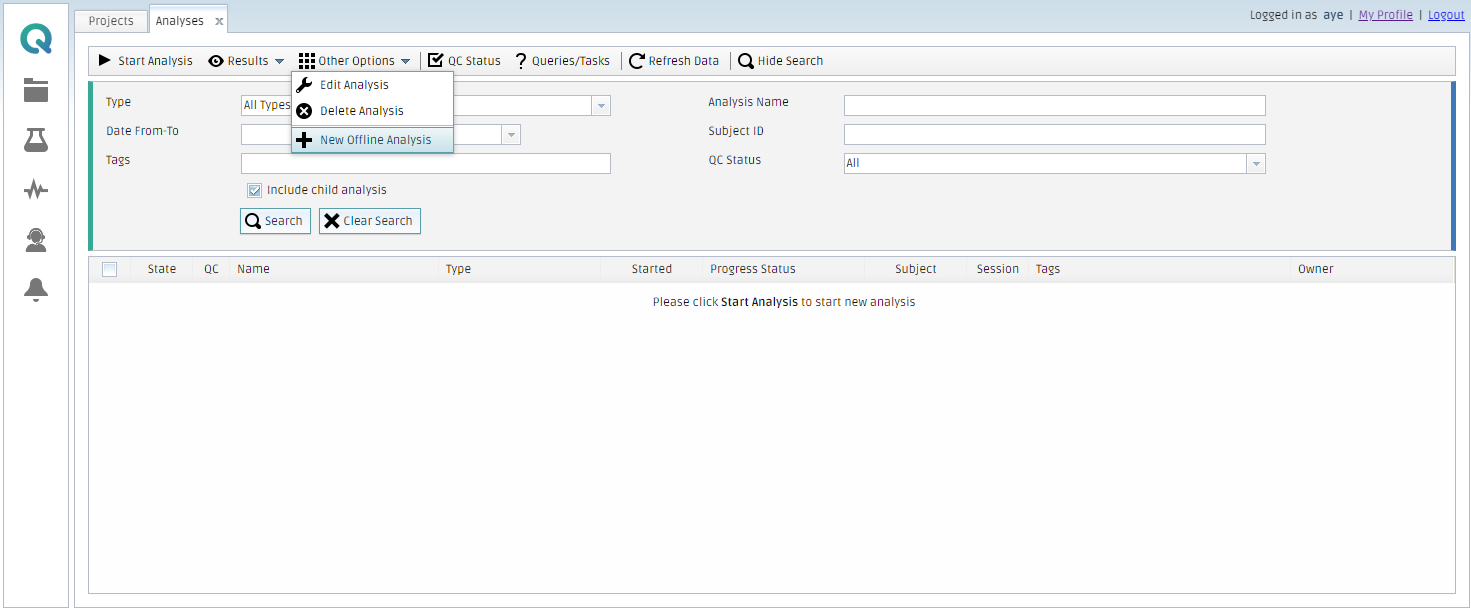
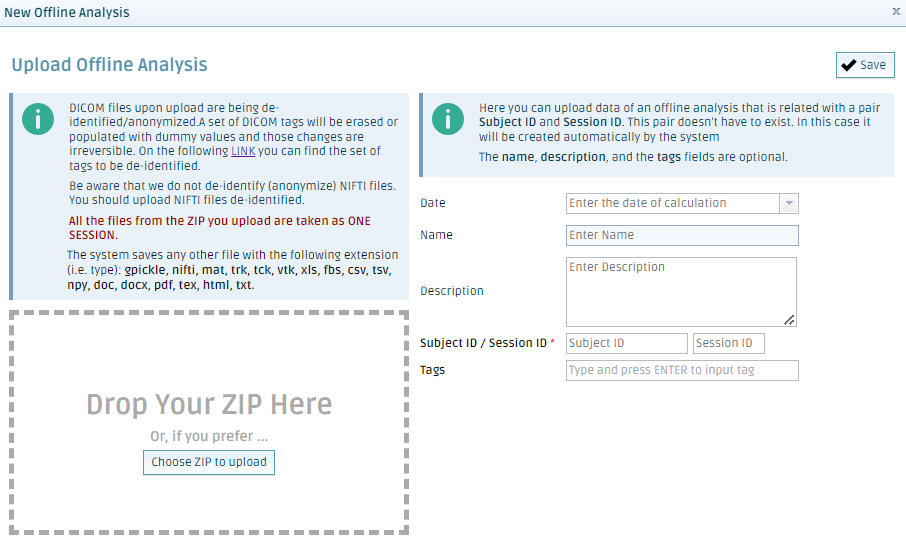
Step 1: Upload the results
- Drop the file or choose a ZIP folder
- On the right side, you can enter more information (Subject ID/Session ID are mandatory)
- Click on Save
- Once the files are uploaded, they will be available in the Analysis tab.
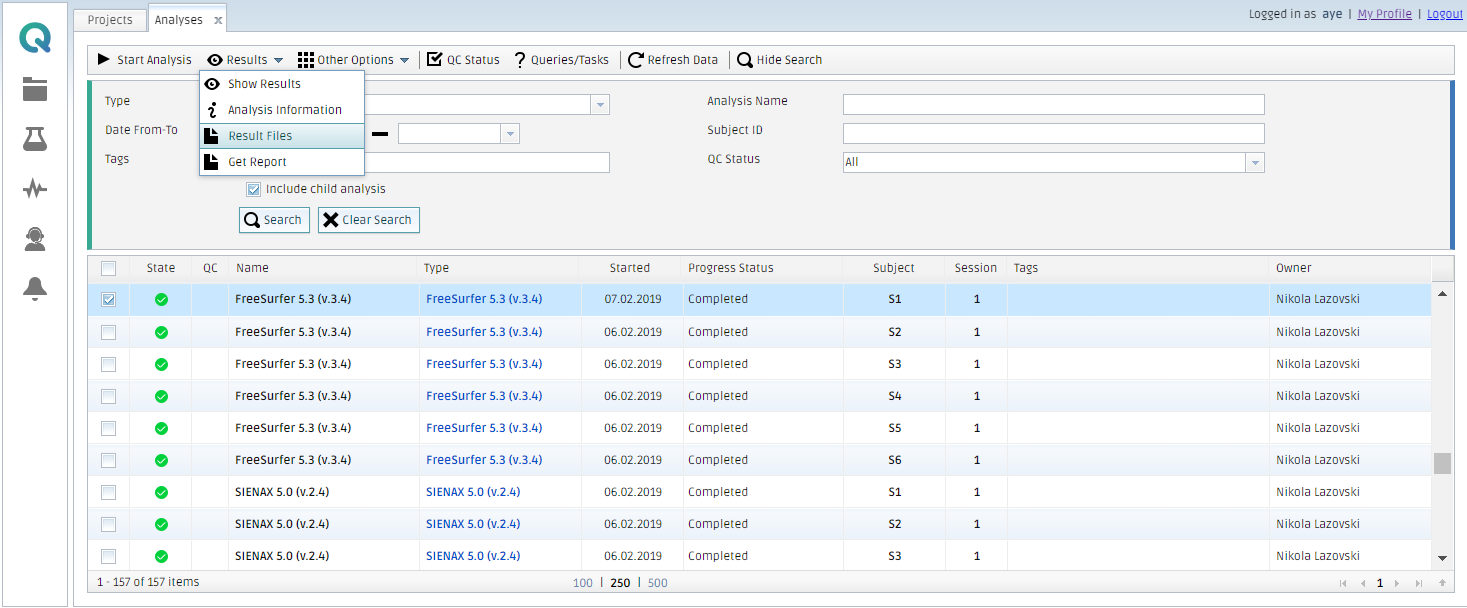
Step 2: Visualize the files
Be aware that there is only one approach to visualize your files in the platform:
- Analysis > Select the analysis > Results > Result files
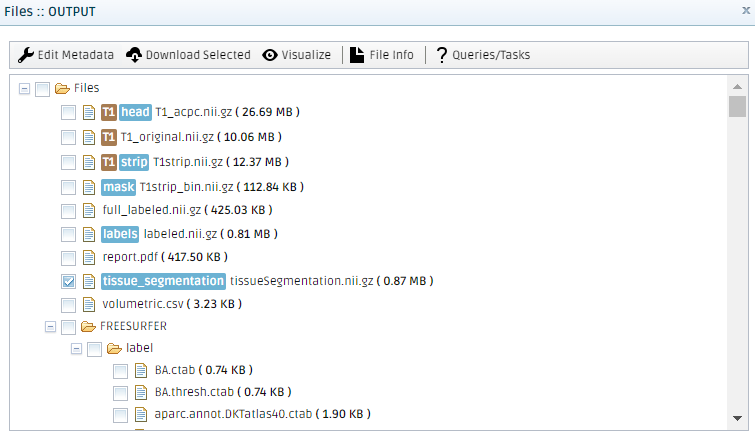
- Select the file you want to visualize
- Click on Visualize
Create free account now!